Observation Instruments
Build criteria and categories, code behaviour against video frame by frame, and keep several observers on the same register.
LINCE PLUS Desktop is a free application for behavioural video analysis. Build observation instruments, code video frame by frame, run AI pose analysis with joint angles and a 3D viewer, detect temporal patterns, sync sensor data and analyse everything in a built-in Python notebook.
Several observers code the same session while video, register and sensor streams stay synchronised on one timeline. Agreement and patterns are computed right there.
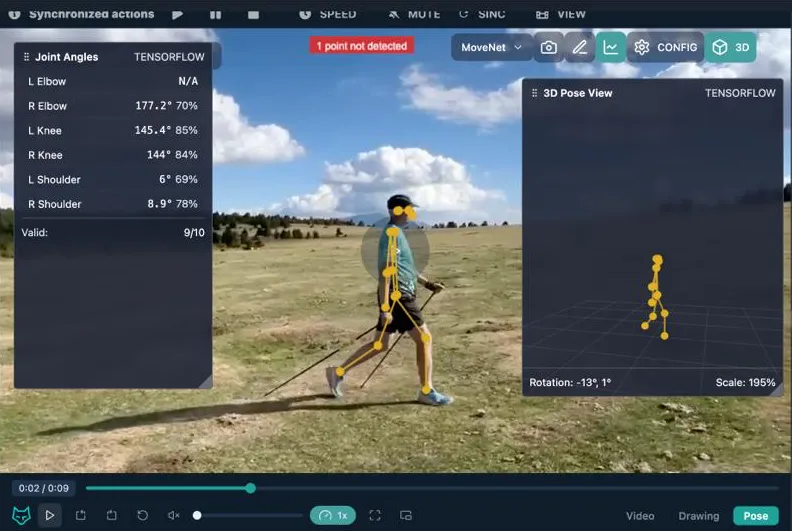
LINCE PLUS ships its own video player, with plugins and a model detector built in.
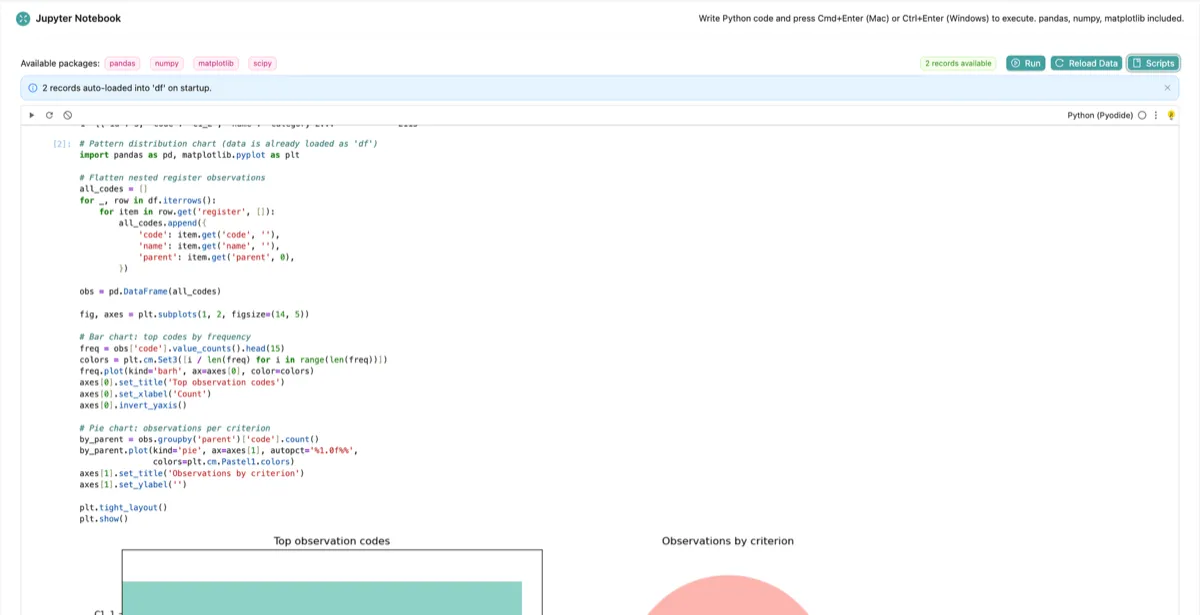
Run Jupyter notebooks inside LINCE PLUS Desktop. Your observation data is preloaded as a DataFrame, with pandas, numpy, matplotlib and scipy ready to use and one-click templates to start from.
# OpenAPI description of the running desktop app
curl http://localhost:<port>/api-docs

# Python, R, MATLAB, a spreadsheet: any HTTP client
import requests
lince = "http://localhost:<port>"
spec = requests.get(f"{lince}/api-docs").json()
kappa = requests.get(
    f"{lince}/register/kappa/{obs_a}/{obs_b}"
).json()
Everything the desktop app does is behind a local REST API with an OpenAPI description. Connect from any tool or language: R, Python, MATLAB, a spreadsheet or your own scripts.
A redesigned analysis dashboard with the T-Pattern Explorer, a predictive assistant while coding, and a quantitative view that synchronises sensor data with the video timeline.
Installers bundle their own Java runtime. Nothing else to install.
Observation, video coding, agreement, pattern detection and analysis in one desktop application, interoperable with the tools the research community already uses.
Build criteria and categories, code behaviour against video frame by frame, and keep several observers on the same register.
Pose estimation on the video player, joint angle estimation with confidence scores, and a 3D pose viewer, with angles exportable for biomechanical analysis.
Detect repeating temporal patterns and jump to every occurrence in the video. While coding, a predictive assistant suggests the next likely events with a confidence score.
Overlay heart rate, accelerometer and gyroscope streams on the video timeline with a single synchronised playhead.
An in-app notebook with pandas, numpy, matplotlib and scipy, with your observation data preloaded as a DataFrame.
Inter-observer agreement with kappa indices, PDF reports, and exports to Theme 5/6, GSEQ, Hoisan and Excel.
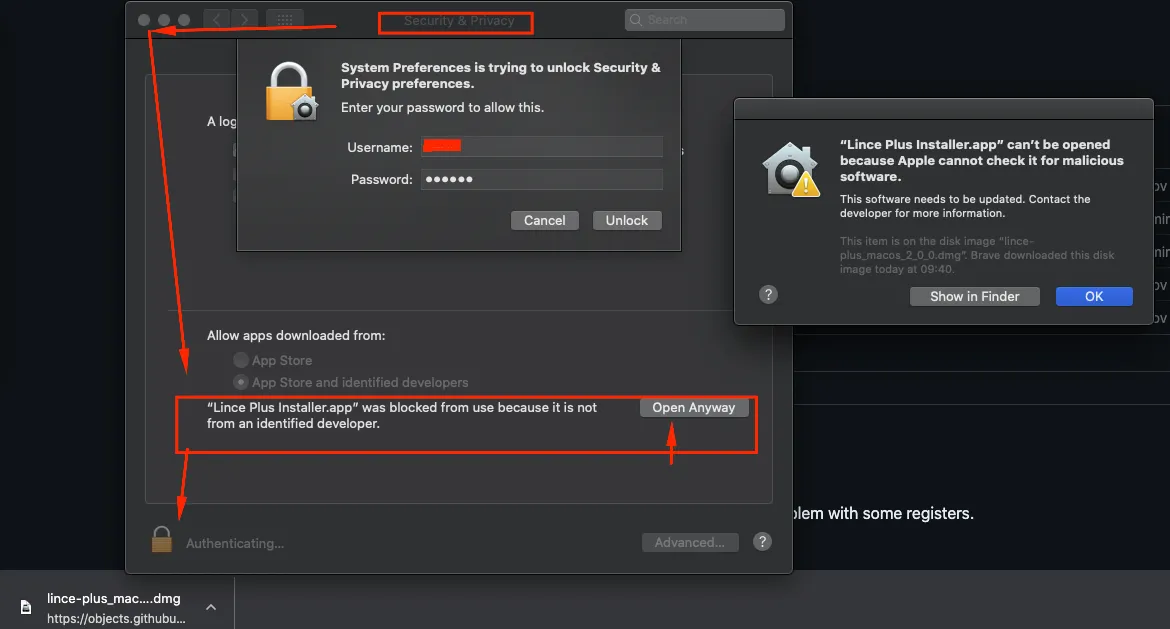
Every installer ships with its own Java runtime. The builds are not notarised or code-signed, so the operating system may ask you to confirm the first launch.
.dmg for your chip and drag LINCE PLUS to Applications..exe installer..sh installer and make it executable./opt/lince-plus, with menu and desktop shortcuts.chmod +x lince-plus_unix_4_1_0_linux-x64.sh
./lince-plus_unix_4_1_0_linux-x64.shWalkthroughs of the interface, from creating an instrument to exporting results.
We are building new examples, tutorials and workshop material for LINCE PLUS Desktop. We need help to get there faster: if you teach, research or write documentation, reach out and collaborate.
LINCE PLUS is validated software, published and cited in peer-reviewed research.See the publications
LINCE PLUS is developed through doctoral research with INEFC Catalunya. If it supports a study, please cite the most relevant paper.
LINCE PLUS Desktop is free, and will always be, as a tribute to Dr. María Teresa Anguera Argilaga (1949-2025), Professor Emeritus of Methodology of Behavioural Sciences at the Universitat de Barcelona. A pioneer of observational methodology and mixed-methods research, she shaped the design taxonomy behind systematic behavioural observation and co-authored the papers that validate this software.
Her legacy lives on in every observation LINCE PLUS makes possible.
The desktop application is free and open source, and it will remain so.
Alongside it, LINCE PLUS Pro offers cloud services for professional users. Subscribing supports the project and funds new features that reach everyone, including the free desktop application.
Built with the support of


Open-source licences provided by JetBrains and ej-technologies.